 Life planner for iPhone, iPad, Mac and Apple Watch
Goals, habits and tasks in one planner.
Titanova turns what matters to you into goals, and goals into the habits and tasks you do today. Synced with your own iCloud. No account.
Free to start. Titanova Pro unlocks everything.
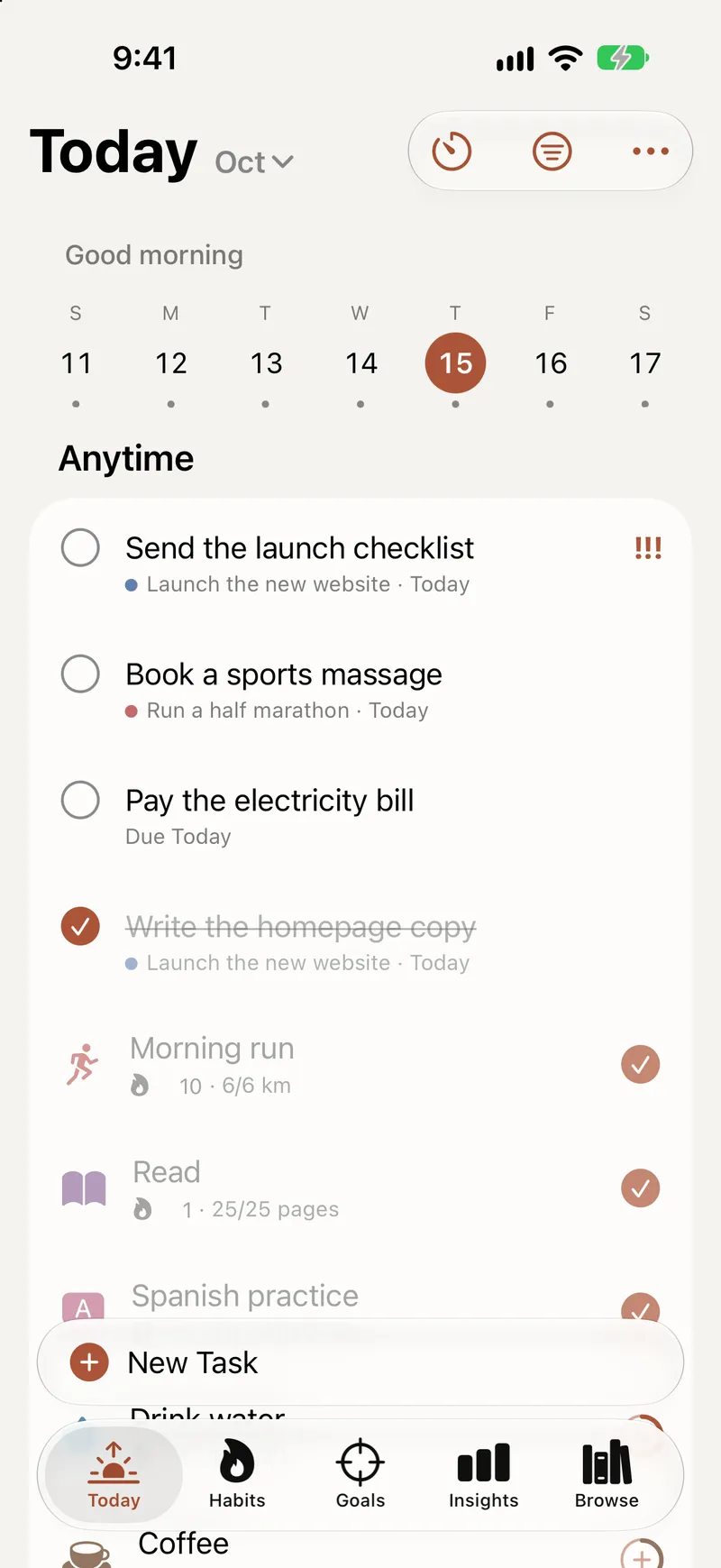
Private, and made for Apple devices
No account
Open the app and start. There is nothing to sign up for.
Your own iCloud
Your plans sync through your private iCloud database. We can’t see them.
Health data stays put
Apple Health values stay on the device that read them. They are never synced or shared.
No ads, no tracking
No advertising and no third-party analytics. We never sell your data.
New in Titanova 2.2
A calendar, an Assistant and Titanova for Mac.
Titanova 2.2 brings your calendar into Today, adds an Assistant that runs on your device, and comes to the Mac with the same purchase and the same iCloud data.
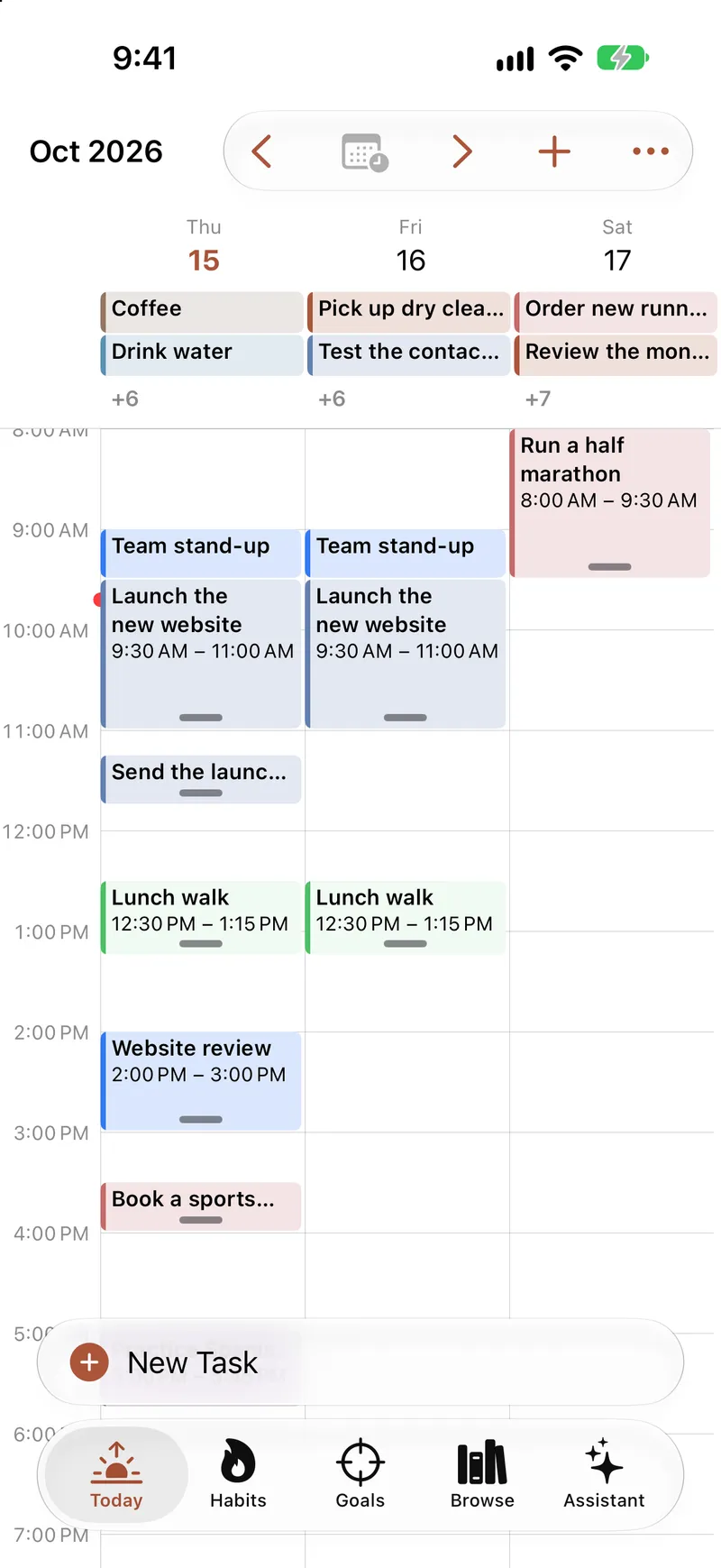
See your day on a calendar
Switch Today to Calendar for a day, three days or a week, with your events, tasks, habits and time blocks side by side. Drag to move or resize, and drop unplanned tasks into your day.
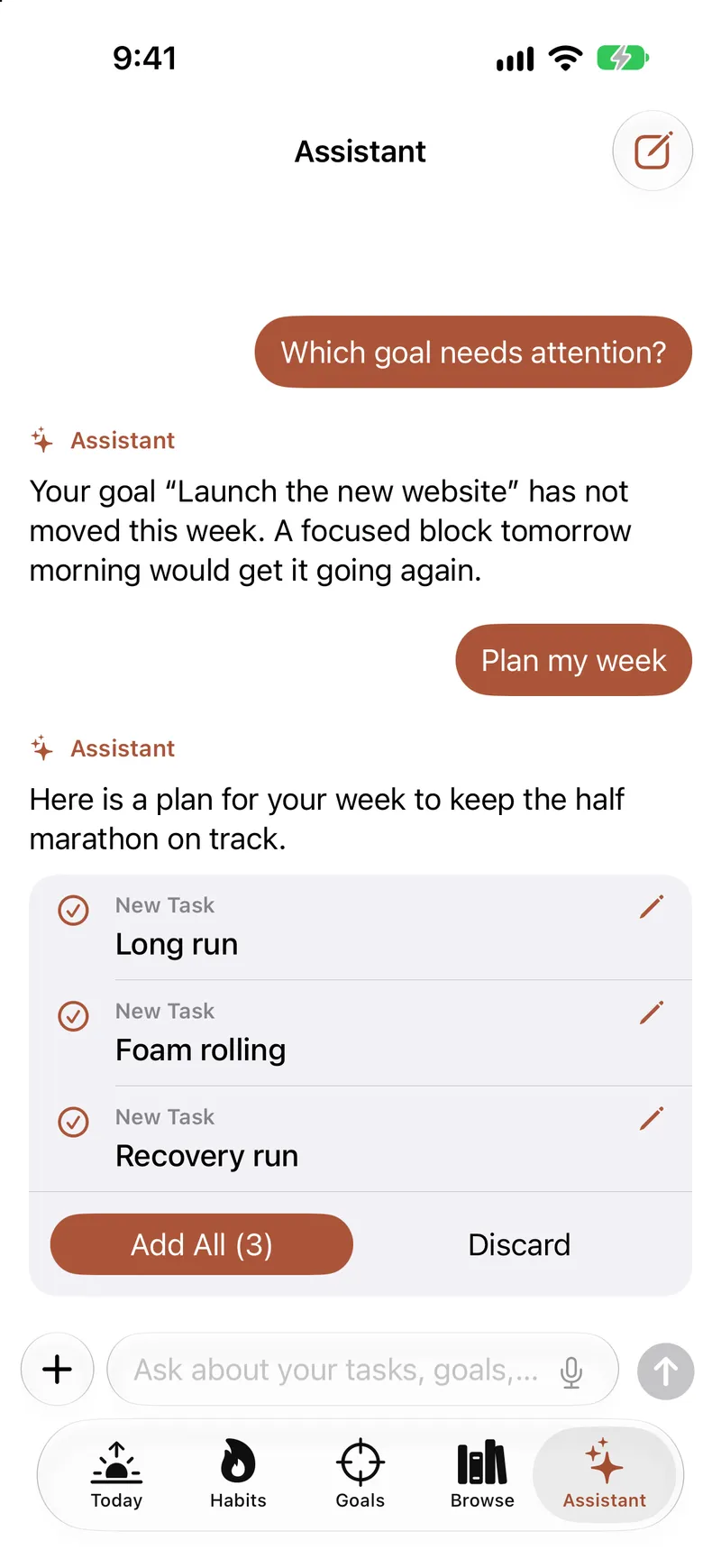
Ask the Assistant
Ask about your tasks, goals and habits, let it plan your day or week, or take a photo of a list to turn it into tasks. Nothing changes until you tap a suggestion. It runs on your device with Apple Intelligence, and what you write isn’t sent anywhere.
On iPhone and iPad with Apple Intelligence, when Titanova is in English, Turkish, German, French or Spanish. No limit for 7 days from your first question, then 3 free questions a day.
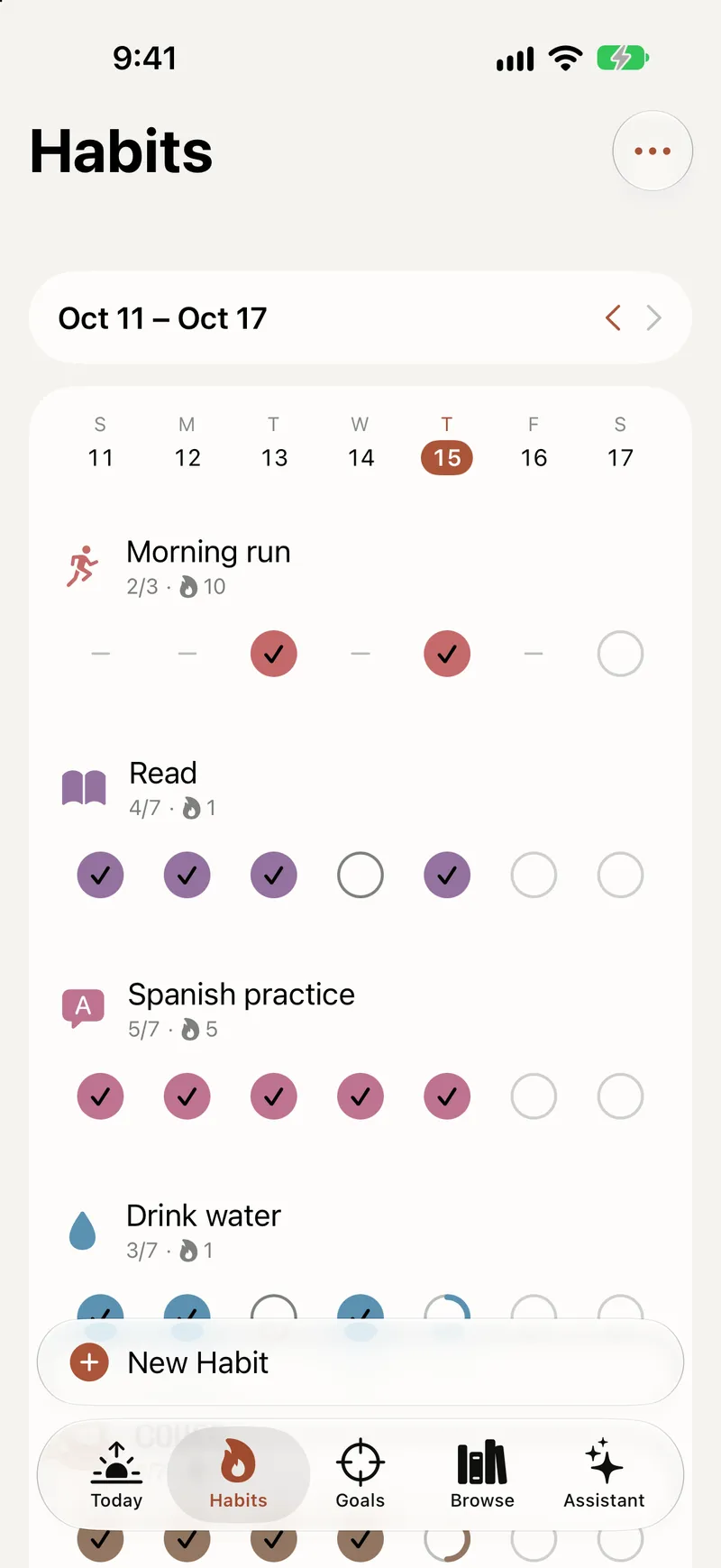
Your whole week of habits
The Week layout puts every habit and every day of the week on one grid. Tap a day to log it, and see at a glance how the week went.
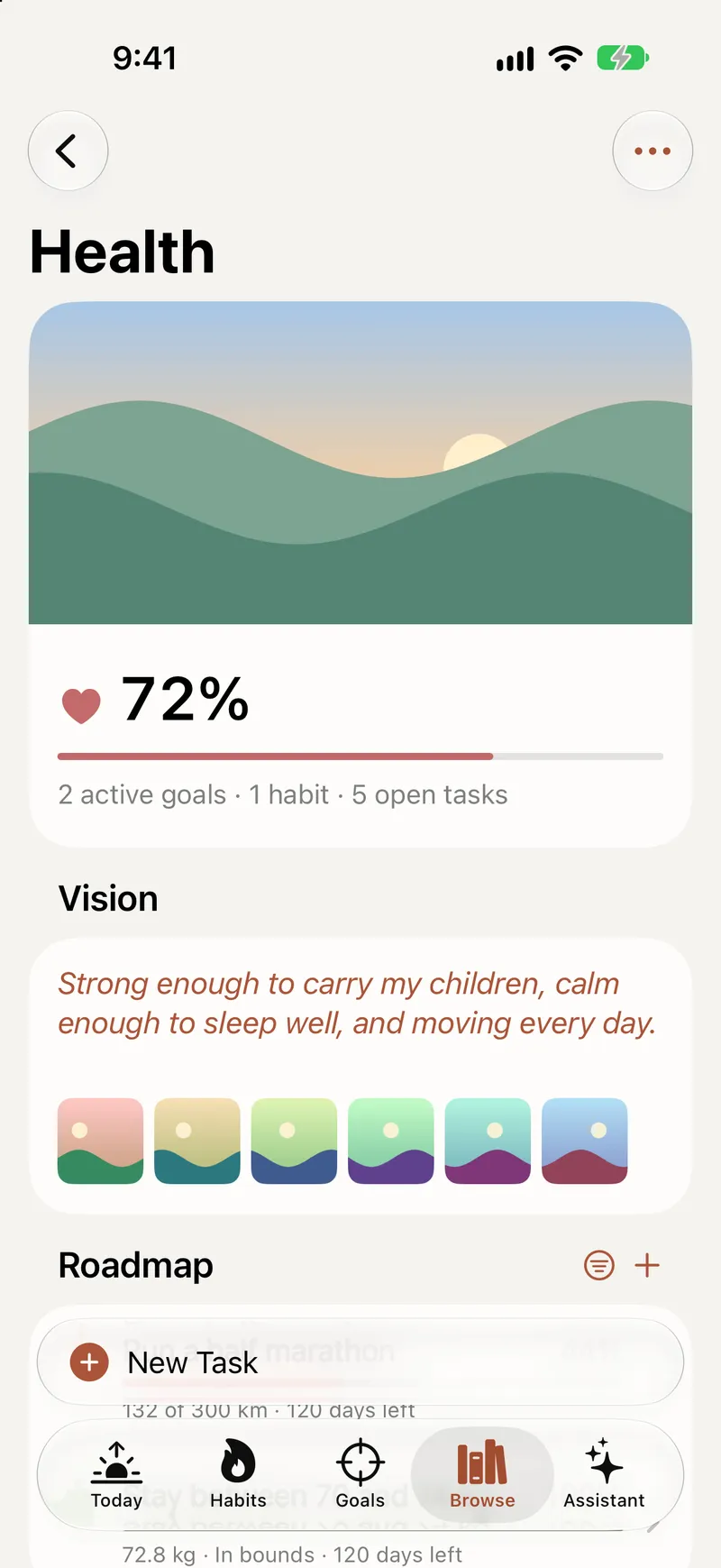
A cover and a vision board for every area
Give each area a cover, a picture for its icon and a vision board, with your own photos or images you make with Image Playground.
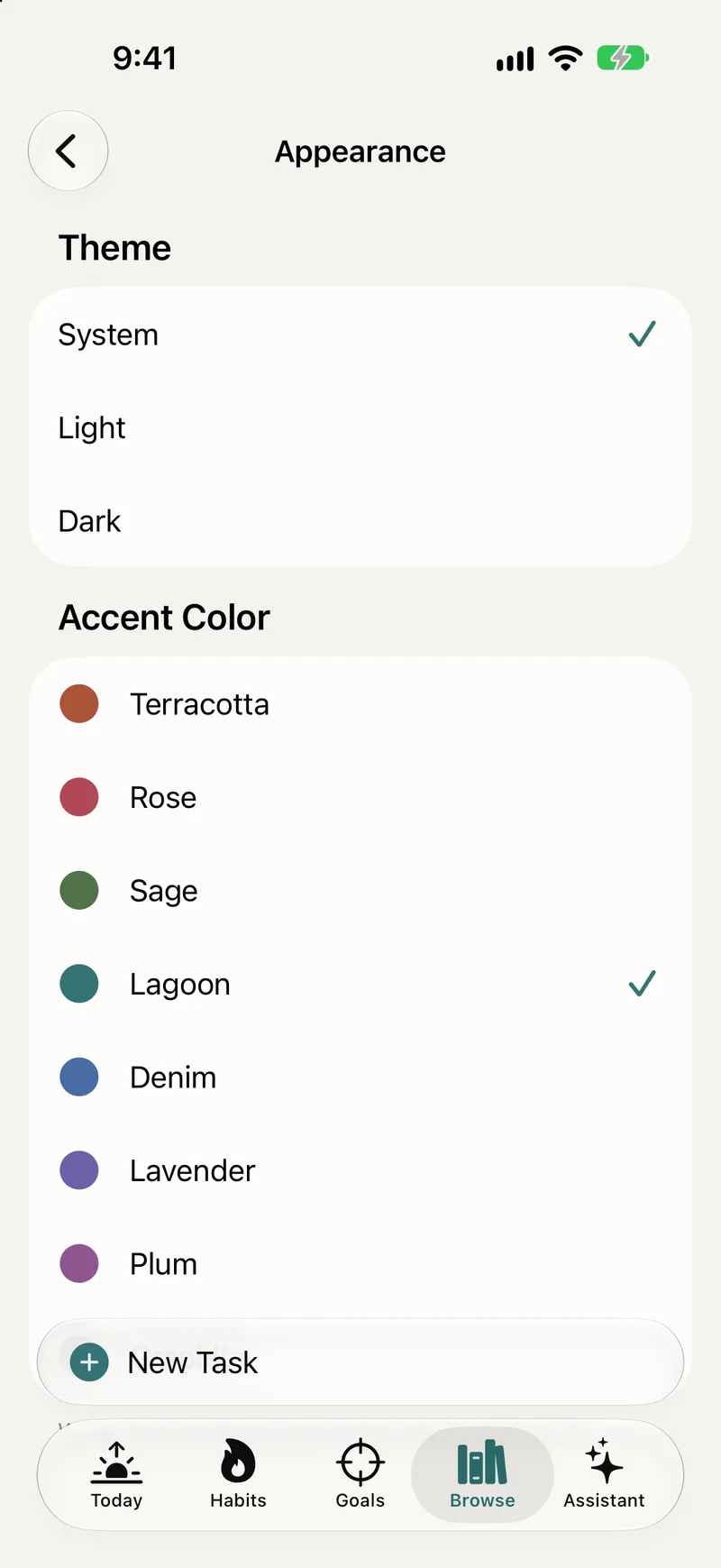
Make it yours
Pick an accent color and a light or dark theme. On iPhone, reorder or hide the tabs.
Titanova for Mac
A native Mac app with a sidebar, an inspector and multiple windows. Add a task from any app with Quick Entry, and check off today’s tasks and habits from the menu bar. Same purchase, same iCloud data.
Made for iPhone Duo
Unfold iPhone Duo and Titanova shows a sidebar and an inspector side by side, like on iPad. Fold it, and the tabs come back.
How it fits together
Start with why. End with today.
Every layer is optional. Use the whole chain, or only the parts you need.
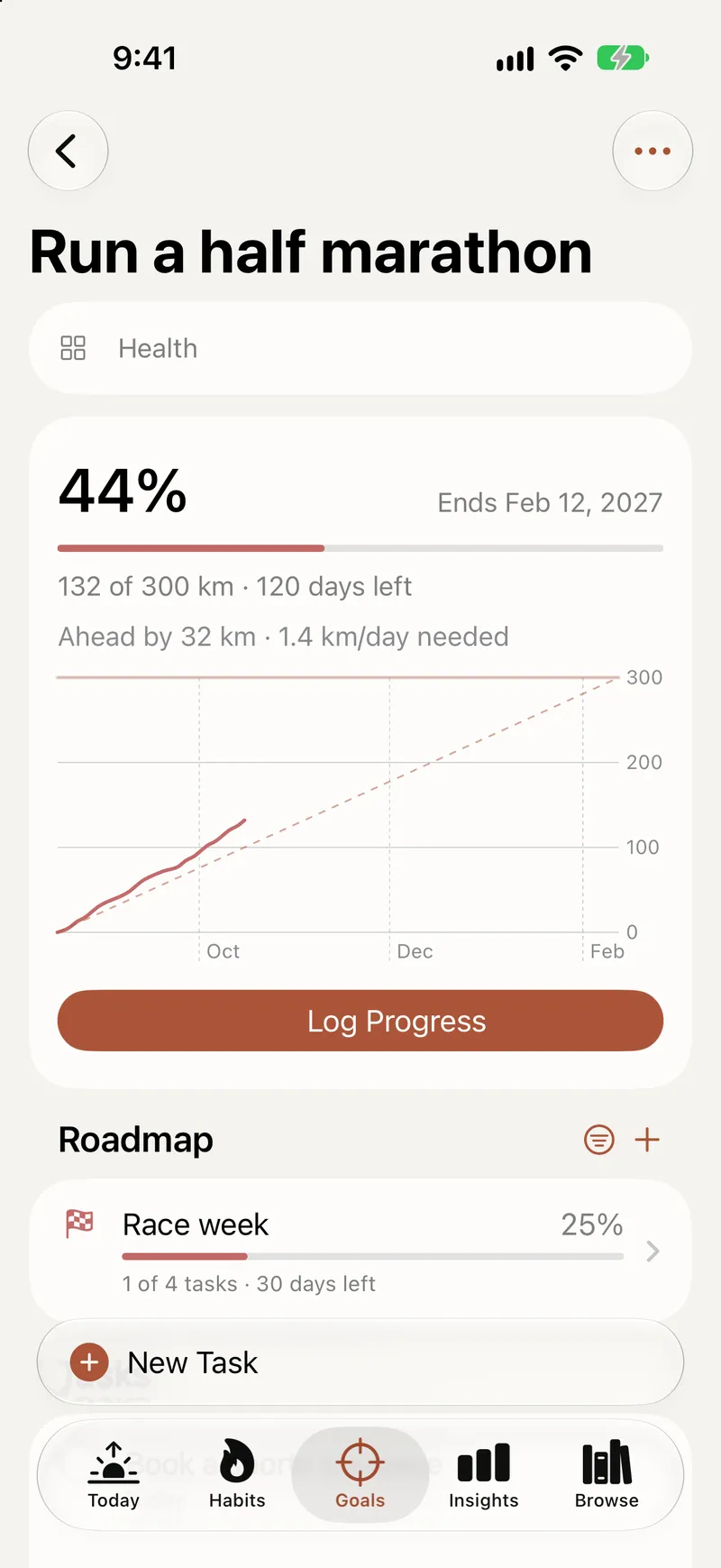
Set goals you can measure
Organize your life into areas like Health or Work, write a vision for each and set goals with a number to reach, like running 150 km. Entries you log, habits, tasks, Apple Health and focus time can all count toward them.
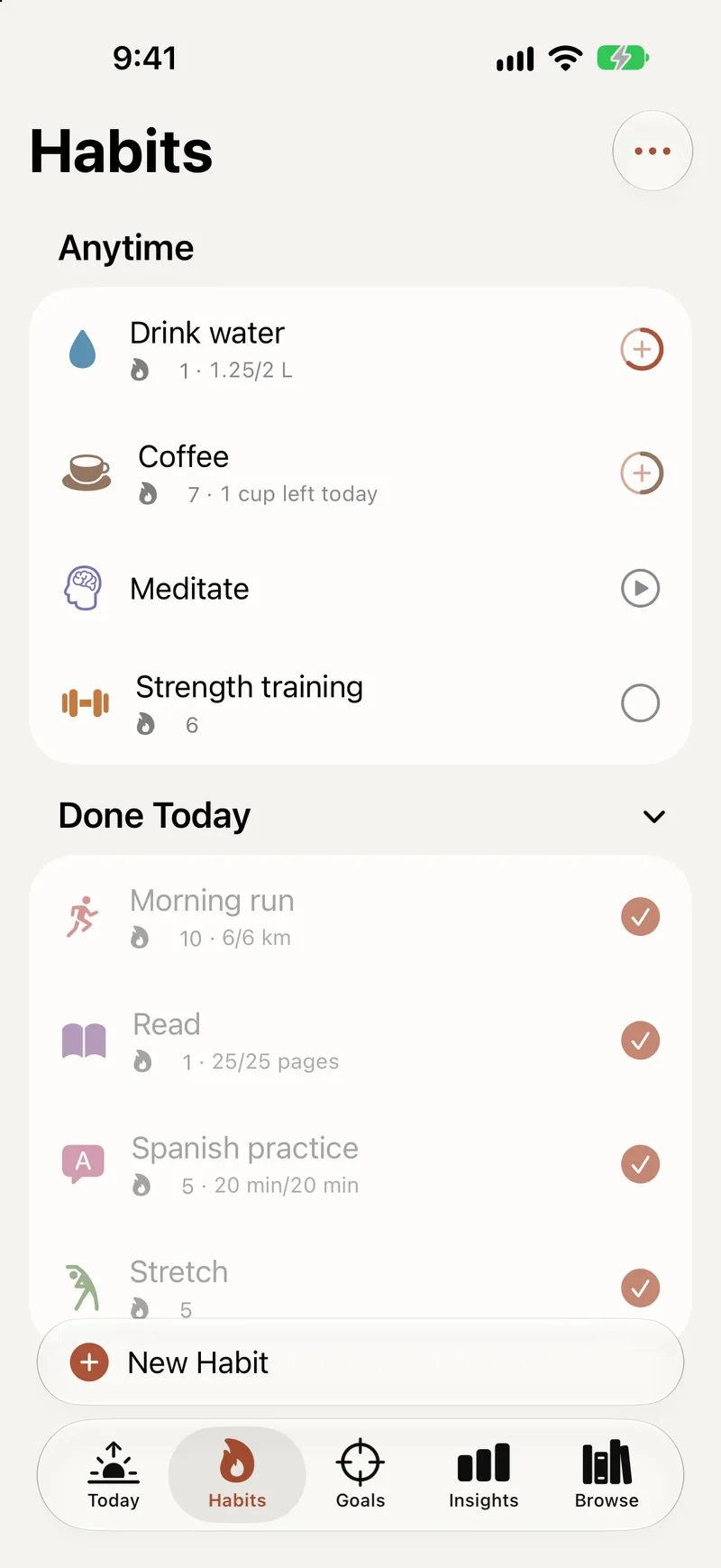
Build habits that move them
Track a habit as a check, a count, an amount in any unit or time, on a schedule that fits, and let every log add up toward the goal it supports.
Plan your day
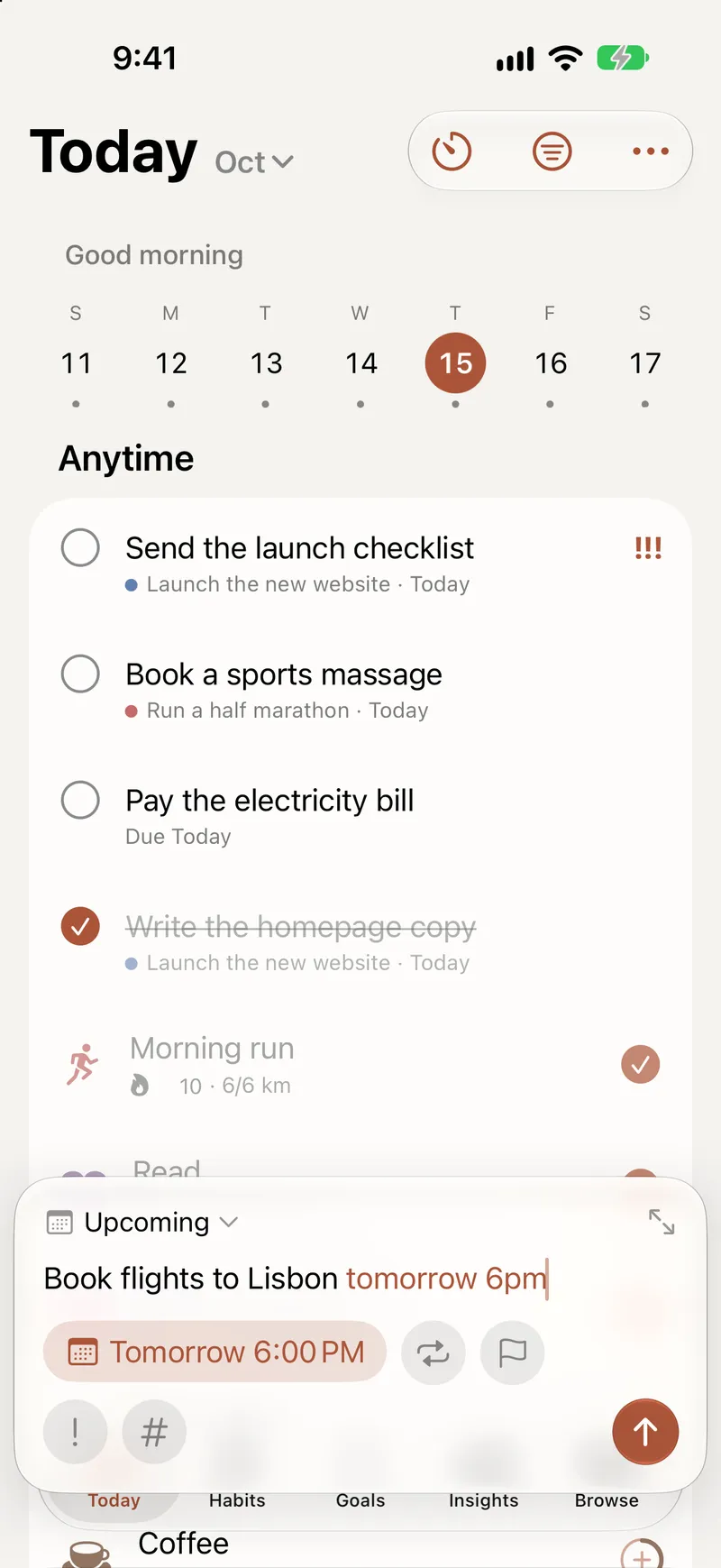
Today brings your tasks and habits into one list. Type or dictate a task the way you say it and Titanova fills in the date and time.
Focus, then look back
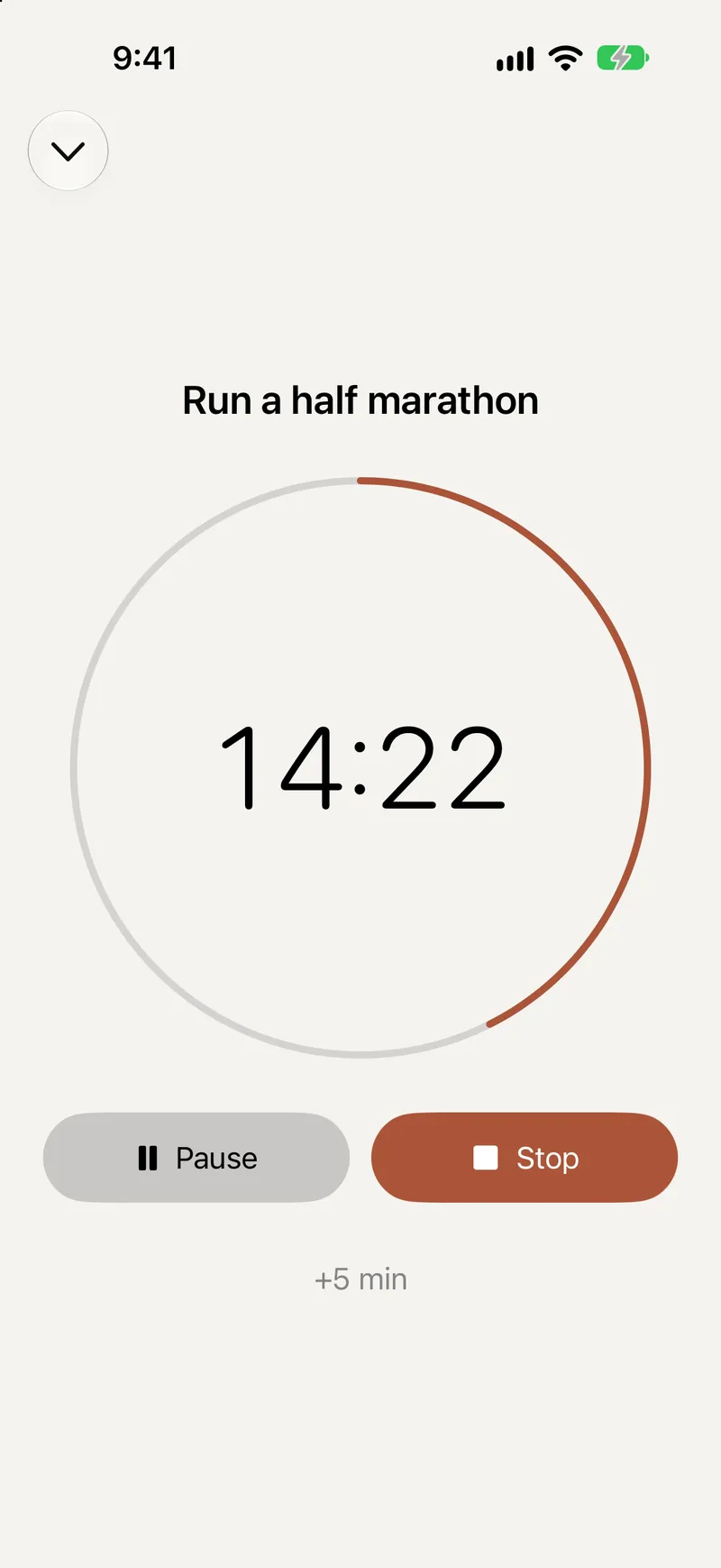
Start a focus timer and follow it on the Lock Screen, let focus time count toward your goals, and look back with a short weekly review.
Templates
Not sure where to begin?
Start from a ready-made plan with subgoals, habits and tasks, add single habits from the library, or follow a program that builds up week by week. Keep the parts you want and change anything later.
Templates are part of the free plan.
- ready-made plans
- 60
- habits
- 100+
- week-by-week programs
- 15
Every Apple device
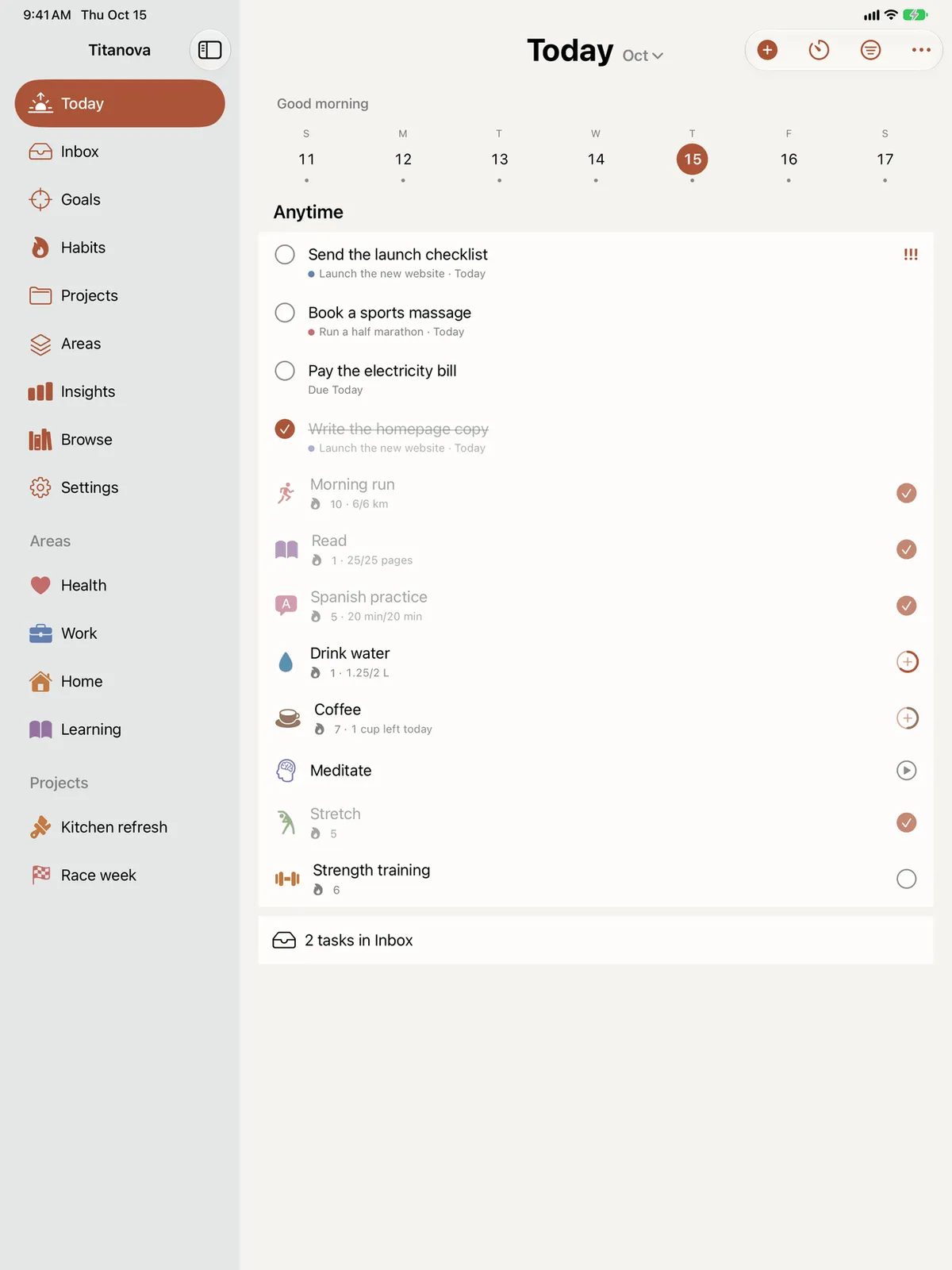
One planner on all your Apple devices
Plan the week on iPad or Mac, with your areas and projects in the sidebar and details in an inspector beside your list. Check off a habit on Apple Watch, from a widget or with Siri. Everything stays in sync through your iCloud, and works offline.
Pricing
Free to start
Free
$0
Up to 4 goals, 4 habits, 8 projects and 5 lists. Unlimited tasks, templates, widgets, reminders and iCloud sync.
Titanova Pro
from $2.99 a month
No limits, plus Insights. Monthly, yearly or once.
Prices in US dollars.Compare Free and Pro
Questions
- Is Titanova free?
- Yes. The free plan has no time limit and includes up to 4 goals, 4 habits, 8 projects and 5 lists, with unlimited tasks. Titanova Pro removes those limits and adds Insights.
- Where is my data stored?
- On your devices and in the private iCloud database of your own Apple Account. We have no servers that store what you write, and we can’t see it. Purchases go through Apple; to manage Titanova Pro we use Adapty, which receives purchase details and an anonymous identifier, never your content.
- Do I need an account?
- No. There is no sign-up and no login. With iCloud on, your goals, habits and tasks sync between your iPhone, iPad, Mac and Apple Watch. With iCloud off, everything stays on that device and the app still works fully, offline too.
- Does it work with Apple Health?
- Yes, if you want it to. Habits like steps, workouts, sleep, water or mindful minutes can check themselves off, and a goal can fill in from distance, weight, heart rate, nutrition and more. Titanova only reads the types you choose, never writes to Health, and keeps what it reads on that device.
- Is there a Mac app?
- Yes. Titanova for Mac needs macOS 26.1 or later and uses the same purchase as iPhone and iPad, with your data synced through iCloud. Apple Health is read on iPhone, iPad and Apple Watch, and the Assistant chat is on iPhone and iPad.
- How do I cancel Titanova Pro?
- Subscriptions are handled by the App Store. Cancel any time in Settings › your name › Subscriptions, at least 24 hours before the current period ends. Lifetime is a one-time purchase, so there is nothing to cancel.
Start with one goal.
Free on the App Store for iPhone, iPad, Mac and Apple Watch. No account needed.