Made for Apple
Habits and goals that fill in from Apple Health, interactive widgets, Siri, Shortcuts, Spotlight, the share sheet and Reminders import.
Titanova is built only for Apple devices, with Apple’s own frameworks. That means it can work with the parts of iPhone and iPad you already use: Health, widgets, Siri, the share sheet and the Lock Screen.
Apple Health
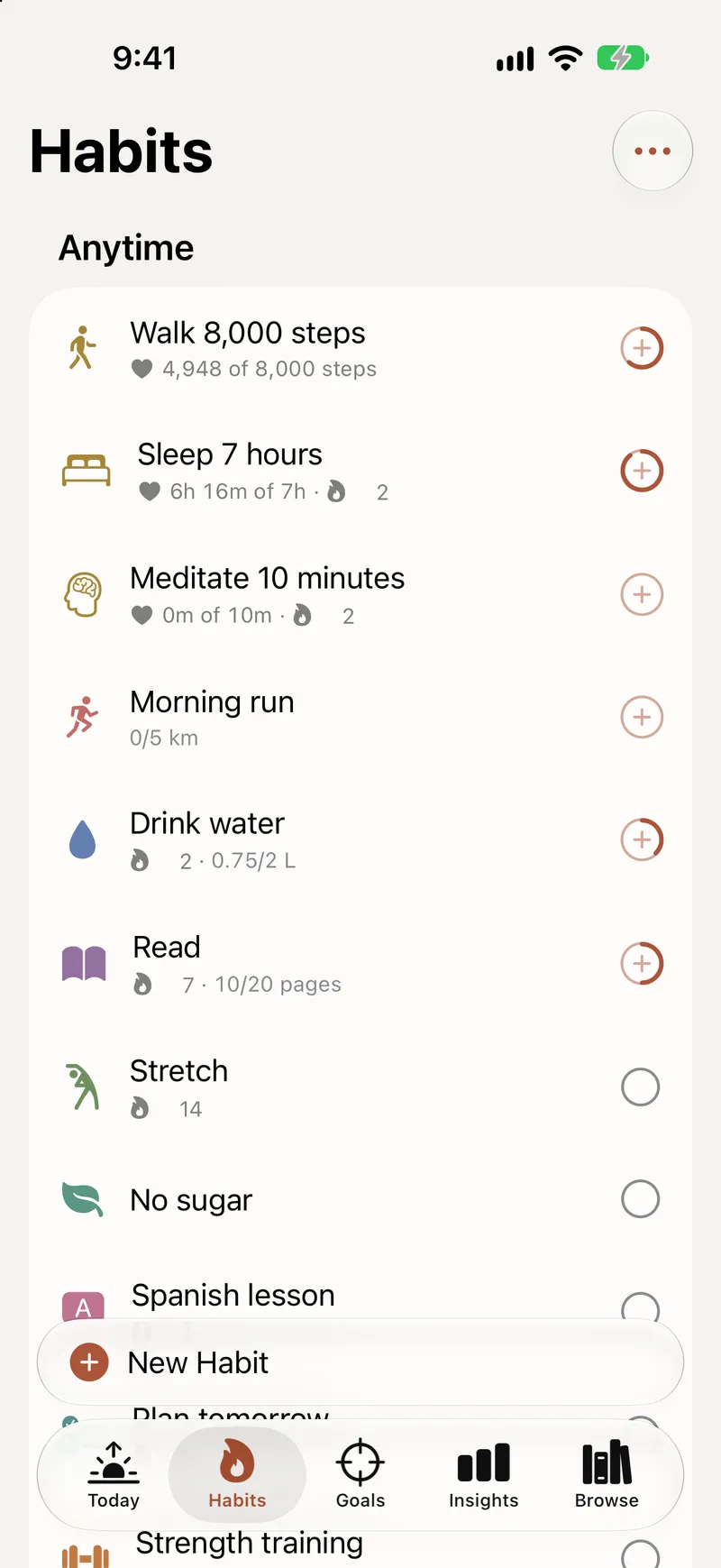
Connect a habit to Apple Health and it checks itself off when you reach your target. Habits can use steps, workouts, sleep, water and mindful minutes. Goals can fill in from distance, active energy, weight, heart rate, nutrition and more.
Titanova asks to read only the type you pick, at the moment you pick it. It never writes to Health. What it reads stays on the iPhone or iPad that read it, so habits can check themselves off and goals can show progress, also in widgets and with Siri. Health values are never synced to iCloud, never put in backups and never sent to us or anyone else.
Widgets
Put your day on the Home Screen and check things off without opening the app:
- Today: tasks and habits with checkboxes, a “+” to add a task, and +1 for habits you count;
- Habit: a month of one habit, with a corner to check off today;
- Habits: up to 8 habits with this week’s days;
- Goal and Goals: progress and time left for one goal or a list of them;
- Agenda: your tasks for today or this week.
On the Lock Screen, see a goal’s progress or how many tasks are left today, or add a task with one tap. Widgets come in several sizes, including extra large on iPad, read well in tinted and clear styles, and can appear in Smart Stack and StandBy suggestions. Want titles out of sight? Hide content in widgets and notifications in Settings.
Siri, Shortcuts and Spotlight
Ask Siri to add a task or log a habit. In the Shortcuts app, Titanova offers actions to add a task, log a habit, enter goal progress, get today’s tasks, start a focus session and read a goal’s progress, so you can build your own automations or run one from the Action button on iPhone.
Spotlight finds your goals, tasks, habits and areas, and opens them right where they live in the app. In Siri and Spotlight results you can complete a task or enter progress without opening Titanova.
Share sheet and Reminders
Found something in Safari, Mail or Notes? Share it to Titanova and it becomes a task with the title, text or link. Coming from Apple Reminders? Import your lists once as Titanova tasks; Reminders stays as it was. Moving from another to-do app, you can import its export file too, and back up everything in Titanova to a file of your own.
Focus on the Lock Screen
A running focus timer shows up on the Lock Screen and, on iPhones that have one, in the Dynamic Island. See Focus and Insights.
Private by design
There is no account. Your goals, habits and tasks sync through the private database of your own iCloud, which only you can reach. Lock Titanova with Face ID, Touch ID or your passcode. The app follows your light or dark appearance, and works offline. For the full picture, read the privacy policy.