Focus and Insights
Start a focus timer for a task, a habit or a goal, follow it on the Lock Screen, let focus time count toward your goals and see in Insights how it all adds up.
A plan says what matters. Focus is where the time goes, and Insights shows where it went. Titanova keeps both close to your goals, so the hours you put in count toward something you care about.
Start a focus timer
When it is time to work, start Focus on a task, a habit you track in time, or a goal. Work in focused rounds with short breaks, and see a short summary when you finish.
The timer follows you on the Lock Screen and, on iPhones that have one, in the Dynamic Island as a Live Activity, so you don’t have to keep the app open. You can also start a session with Siri or from the Shortcuts app.
Focus time that counts
Give a goal a target in time, like “40 hours of deep work this quarter”, and turn on Focus Time under What Counts: every focus session you finish adds to it, next to the entries you log, linked habits and finished tasks. A habit you track in time has a timer too, and its minutes go to the goals it adds to.
Insights
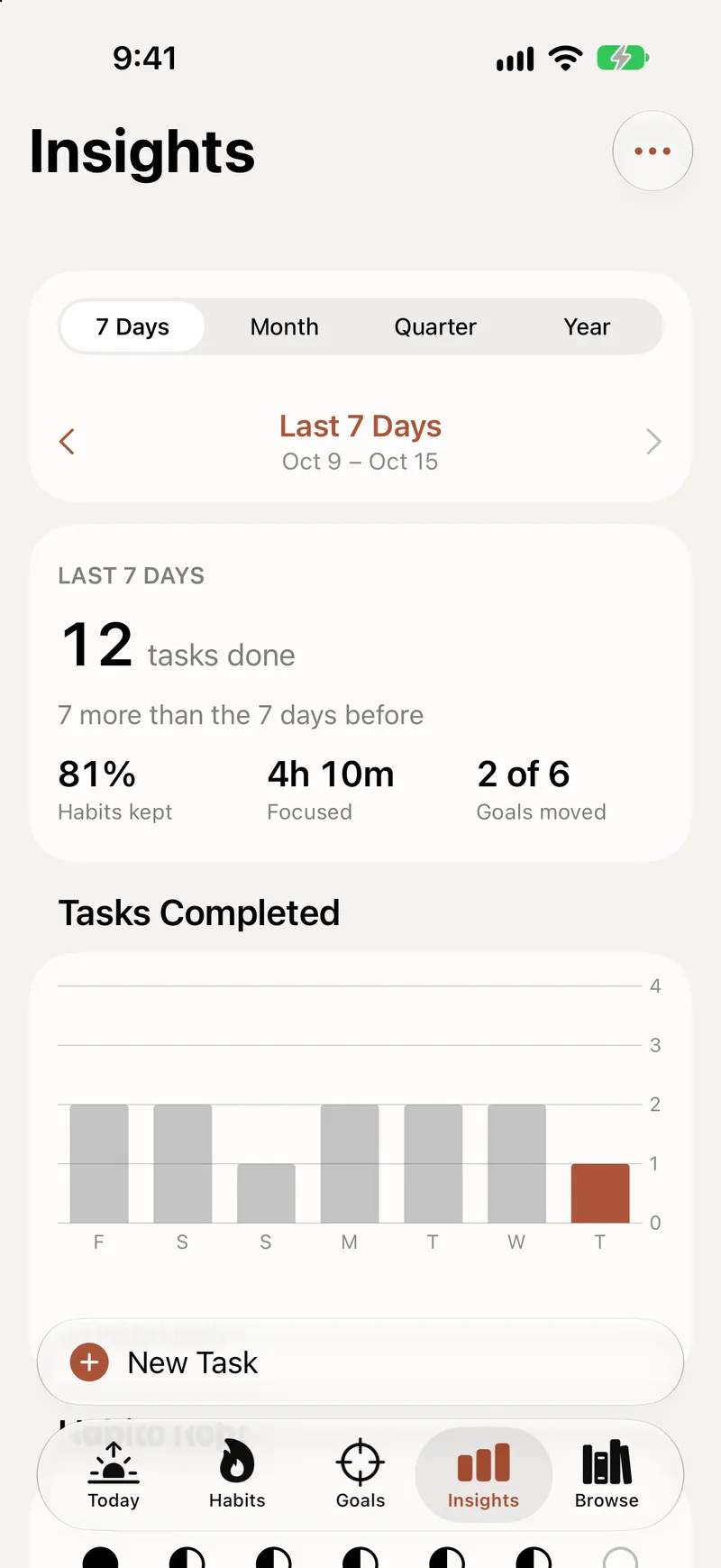
Insights shows how your tasks, habits, focus and goals add up over weeks, months and years. Step back to an earlier period to compare, log progress on a goal right from its row, and hide the parts you don’t need. The time report shows where your focus time went.
Insights is part of Titanova Pro. The focus timer and its Live Activity are free on every plan.
Plans that travel
Traveling? You can keep Titanova on your home time zone, so your task times stay where you put them, and daylight saving changes don’t move them either.
Read how focus fits into the rest of your day in Plan your day, or how goals fill in from everything you do in Goals and life areas.