iPhone, iPad and Mac
The same planner on iPhone, iPad and Mac, synced through your own iCloud. On iPad and Mac, a sidebar with your areas and projects and details in an inspector. No account.
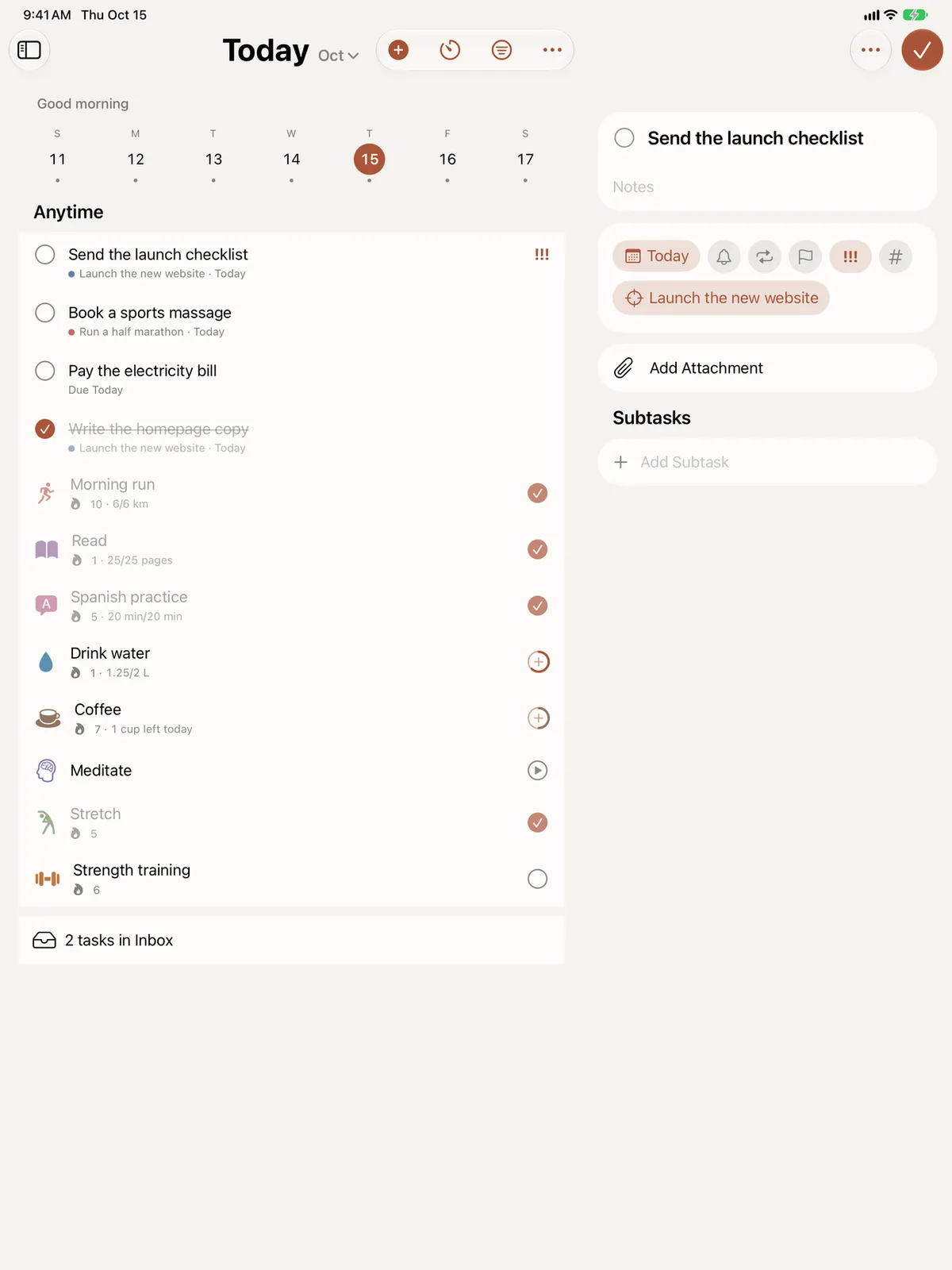
Titanova is a native app for iPhone and for iPad, not a phone app stretched to fit or a web page in a frame. Both have the same features, and each is shaped for the device in your hand.
On iPhone
On iPhone, Titanova is built for quick moments: check off a habit, add a task, see what is next. A tab bar keeps Today, Habits and Goals one tap away. Swipe to reschedule, press and hold for more actions, and use the widgets, Siri and the Action button when you don’t want to open the app at all.
On iPad
On iPad there is room to plan. A sidebar holds your lists, your life areas and your active projects, each in its own color, so any of them is one tap away. Tasks, habits and goals open in an inspector beside the list, so you can edit one without losing your place.
The bigger screen helps in other places too:
- your areas as a grid of cards, which you can drag into the order you like;
- Quick Add from the toolbar, or with ⌘N when a keyboard is attached;
- extra large widgets for the Home Screen.
In sync, without an account
There is no sign-up. Titanova syncs between your iPhone, iPad and Mac through the private database of your own iCloud account. Add a task on your iPhone in the morning and it is on your iPad when you sit down to plan. Everything works offline too, and changes sync when you are back online. Titanova shows when it last synced and tells you if iCloud needs attention, for example when your storage is full.
If iCloud is off, Titanova keeps everything on that device and still works fully.
One purchase, both devices
Titanova is free to start. If you choose Titanova Pro, one purchase works on your iPhone, iPad and Mac, and on Apple Watch, with the same Apple Account. Get a new device, open Settings › Titanova Pro and tap Restore Purchases.
On Mac
Titanova for Mac needs macOS 26.1 or later. It has the same sidebar and inspector, opens more than one window, and adds a menu bar item with today’s tasks and habits and Quick Entry to add a task from any app. Apple Health and the Assistant’s chat stay on iPhone and iPad. More in Titanova for Mac.