Plan your day
Today brings your tasks and habits together. Type or dictate tasks the way you speak, keep an Inbox for everything else and plan the week ahead.
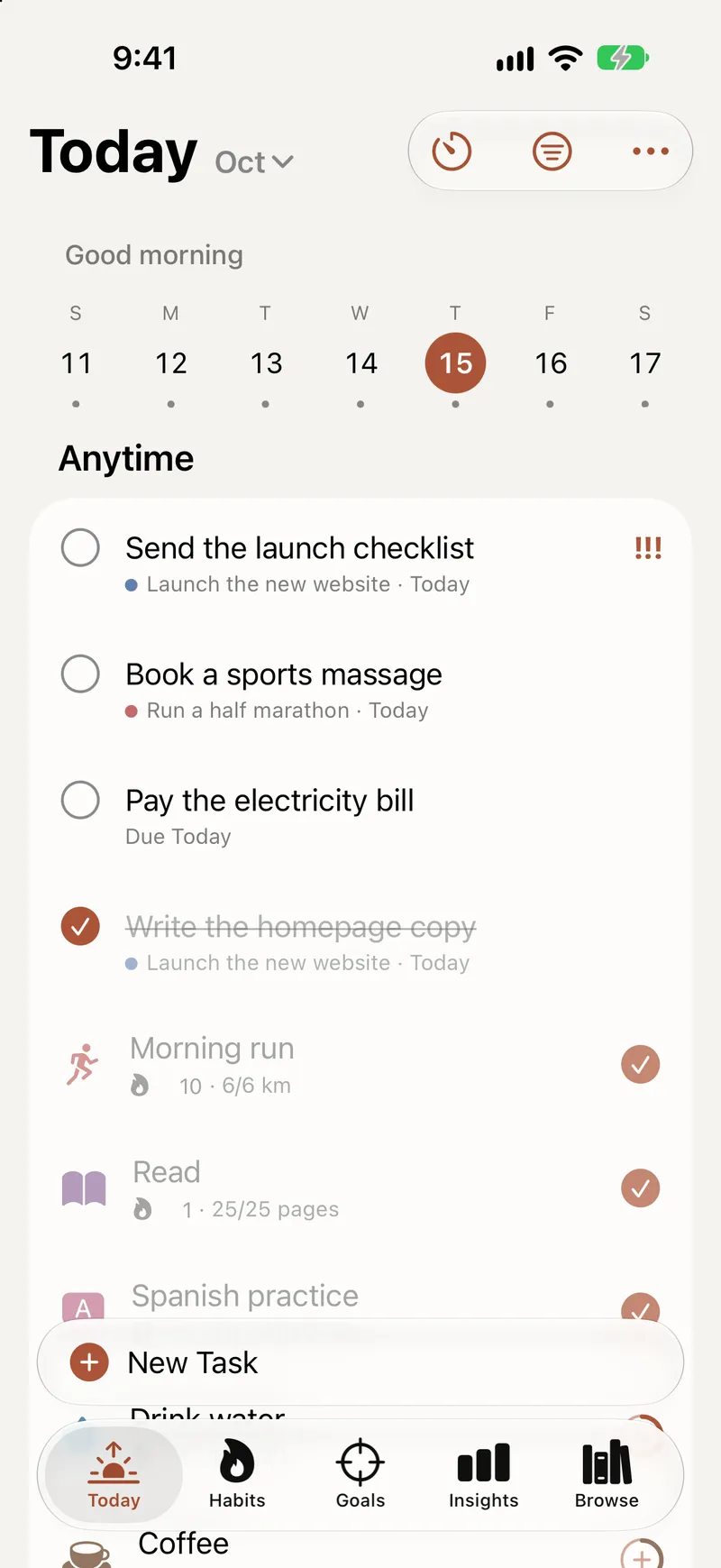
Goals matter, but the day is where things get done. Titanova’s Today brings everything due into one list, so you can see the whole day at a glance and decide what comes first.
Today, in one list
Today shows the tasks planned for today and the habits due today. Overdue tasks sit at the top, so nothing slips quietly into the past.
Group the list by time of day (anytime, morning, afternoon and evening) or by goal, area or priority, and sort it by priority or your own order, with timed tasks first. Step through the days of the week without leaving the screen.
When something didn’t happen, move it to today, tomorrow or no date at all, or drag it to another part of the day. Swipe a task to reschedule it, or select several and complete, move, tag or delete them together.
Add tasks the way you speak
Type “Call mom tomorrow 6pm”, or dictate it, and Titanova fills in the date and time for you. Add a task from anywhere in the app, keep adding one after another without closing the sheet, or paste a list of lines and turn them into separate tasks in one step.
Every task can have:
- a planned date, a start time and a duration;
- a deadline that is separate from the day you plan to work on it;
- a priority, tags and subtasks;
- one or more reminders, at a time or when you arrive at or leave a place, and important ones can ring as alarms;
- a repeat, from every day to every few weeks.
Tasks are unlimited, also on the free plan.
An Inbox for everything else
Not every thought needs a date. Tasks without a goal, a date or a deadline go to the Inbox. Sort it when you have a minute: give a task a day, link it to a goal or move it to Someday for ideas you want to keep without the pressure. You can also send links and text to the Inbox from Safari, Mail or Notes with the share sheet.
Plan the week
Upcoming shows the coming days, months and years in one list; drag a task onto another day to move it. Tasks without a day wait in their own list until you give them one.
Two short routines keep it light. In the morning, plan your day: pick what to do and when. At night, close the day: deal with what is left and see what you got done. Once a week, a guided Weekly Review walks you through the week behind you, your goals and the week ahead, with room for a short reflection note.
Reminders that help
Add reminders at a set time or a few minutes, hours or days before a task. Default reminders cover tasks that don’t have their own. When a notification arrives, complete the task or snooze it right there. You can also get a short summary each morning, a nudge to plan the week, and a badge on the app icon with today’s count.
Find anything
Filter by area, goal, tag, date, priority or duration, and save a filter as a list you can open in one tap. Tags work across tasks, goals and projects, search finds tasks, goals, projects, habits and areas, and Favorites keep the things you use most close at hand. Deleted something by mistake? Undo it, or restore it from Trash within 30 days.