Goals and life areas
Organize your life into areas, write a vision for each and set goals you can measure. Goals fill in from your habits, tasks, Apple Health and focus time, and break down into subgoals and projects.
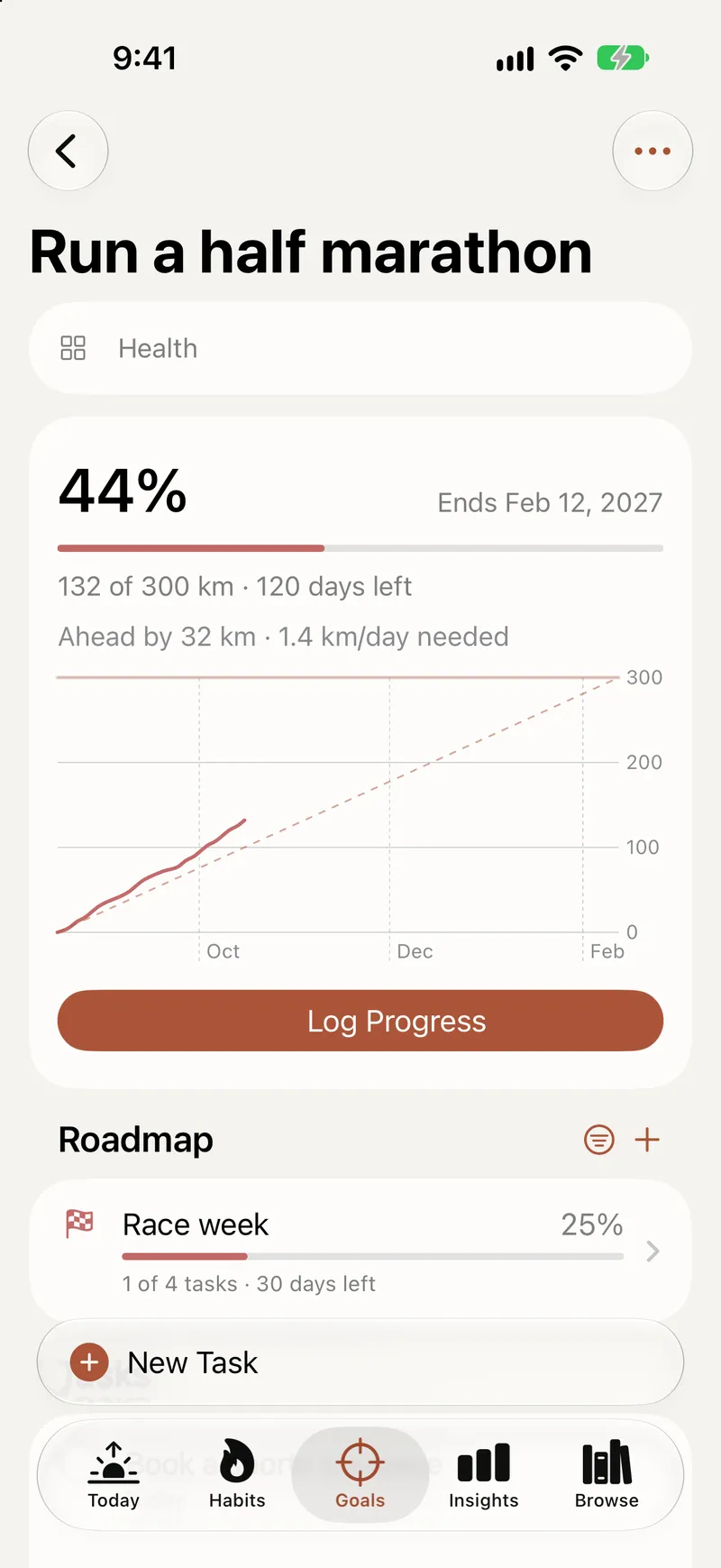
A task list starts with what to do. Titanova starts one step earlier, with why. You decide what matters, turn it into goals you can measure, and connect the habits and tasks that move them. Every layer is optional: a task can stand on its own, and a goal can live without an area.
Life areas and a vision for each
Areas are the big parts of your life, like Health, Work, Family or Money. When you first open Titanova, pick the suggested areas you want, or add your own later. Give each area a color and an icon, put them in the order you like, and archive an area you don’t need right now without losing anything linked to it.
Each area has room for a vision: a few lines on what a good life looks like in that part of your life. It is the reason behind the goals you set there, and it sits on the area page next to its goals, projects and tasks.
Goals you can measure
A goal needs only a name. When you want to track it, choose how to measure it:
- a number, money, a percentage or one of hundreds of units, such as kilograms, kilometers, hours or pages, converted for you;
- a custom unit, like “chapter” or “session”;
- the tasks you complete, or the progress of its subgoals.
Set a start and a target and pick a direction: go up, go down like 90 kg to 80 kg, or stay above, below or within a range, like keeping your weight between 70 and 74 kg. A goal can run once or repeat every week, month, quarter or year.
Goals that fill themselves in
Under What Counts, choose what moves a goal, as many sources as you like: entries you log yourself, linked habits, finished tasks, Apple Health and focus time. Titanova adds it all up, converts units and tells you whether you are on pace and what you need per day.
Add progress by hand as a new total or as an amount to add, fix a wrong entry in the history, or log a negative amount when something goes backwards. A chart shows your entries over time against the target.
Goals also have optional start and end dates, an impact level (high, medium or low) and a note on why the goal matters. You can complete a goal before it reaches 100%, and Titanova keeps the real percentage.
Subgoals and projects
Big goals are easier in steps. Add subgoals under a goal, each with its own measure, dates and chart.
Projects are lists of work without a number to reach, like “Plan the trip” or “Move house”. Split them into sections, link them to a goal or an area, and complete them when you are done. A goal can become a project and a project can become a goal, keeping its tasks and sections.
Every goal and area has a roadmap that lists its subgoals and projects.
Habits and tasks that count
Link a habit to a goal and its check-ins count toward it. Link tasks to a goal and completing them moves its progress. One habit can add to several goals, so a daily walk can count toward both “Run a 10K” and “Feel better this year”. Read more about habits.
Start from a plan
If a blank page doesn’t help, start from a ready-made plan with subgoals, habits and tasks already filled in, then keep only what fits. Want to see how it all works first? Add the sample goal, look around, and remove it in one step.
Find the goal you need
The Goals screen groups goals by area or by the quarter they end, sorts them by dates, progress or your own order, and filters them by area and impact.
On the free plan, subgoals and completed or archived goals don’t count toward the goal limit. Titanova Pro has no limit. See pricing for the details.